
How to Add Links and Call-to-Action Buttons
Last updated on May 15, 2026
Every email you send needs a clear path for the reader to take action. Links and call-to-action buttons are the mechanisms that connect your email to your website, landing page, product, or any other destination. This guide explains how to add and configure both in Mailzzy's email editor.
Adding a Text Hyperlink
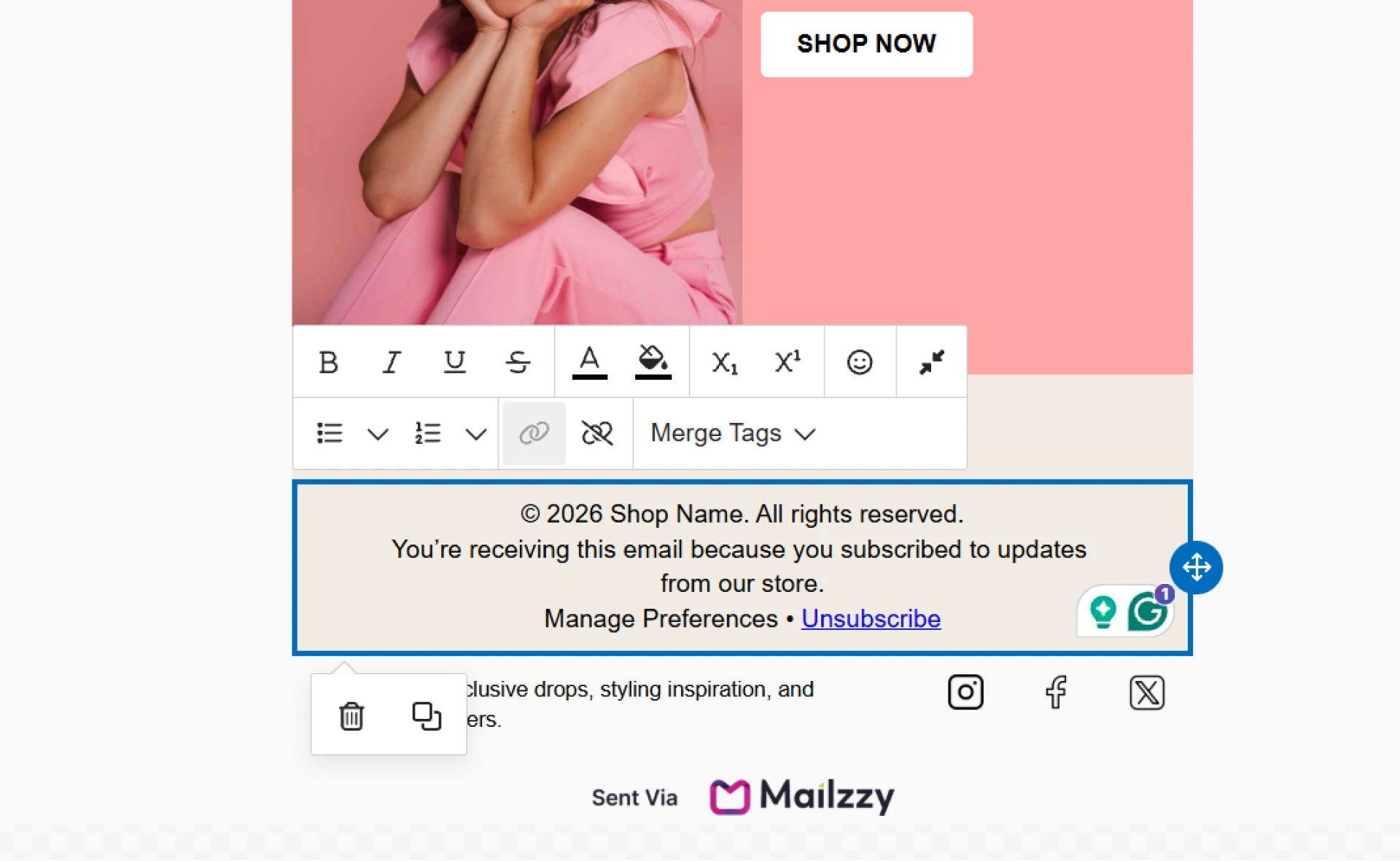
- Click on a text block in the email editor to activate it.
- Highlight the specific words you want to make clickable.
- Click the link icon in the text toolbar.
- Paste your full URL into the link field — include https://
- Choose whether the link opens in the same tab or a new one. For external sites, a new tab is generally better.
- Click Apply or confirm the link.
Adding a Call-to-Action Button
- In the left panel of the drag-and-drop editor, locate the Button content block.
- Drag it into your email canvas at the position you want.
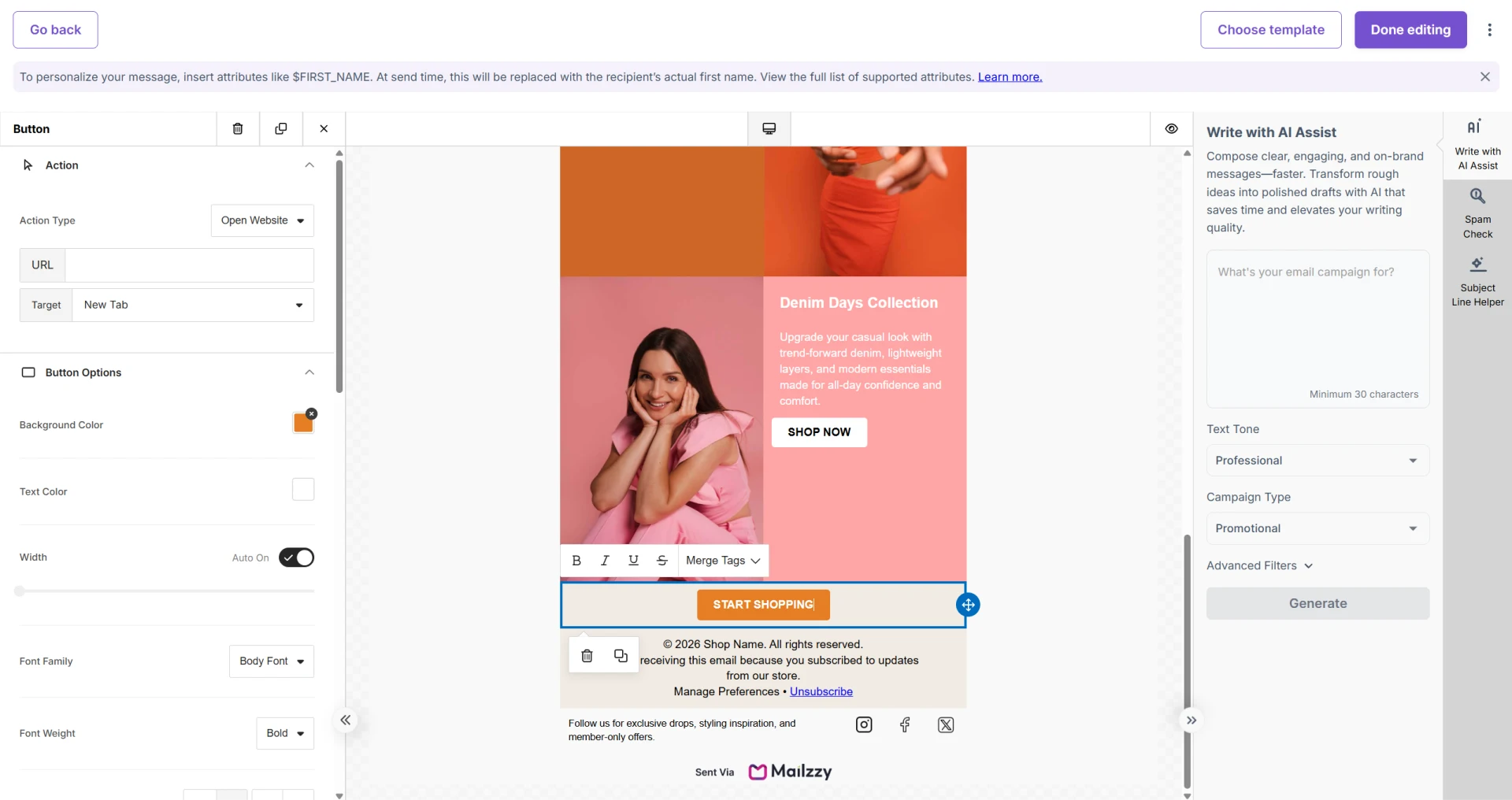
- Click on the button to open its settings in the right panel.
- Edit the button label — keep it short and action-driven, such as "Shop Now", "Get Started", or "Download Guide".
- Enter the URL the button should link to.
- Customise the button colour, text colour, size, border radius, and alignment.
Making Your CTA Effective
- One primary action per email — Too many competing buttons split attention. Choose the single most important thing you want recipients to do.
- Use specific, benefit-driven labels — "Claim Your Discount" is more compelling than "Click Here".
- Use contrasting colours — Your button should stand out clearly from the email background. Low contrast makes buttons easy to miss.
- Test every link before sending — Send a test email and click every link and button individually.


Let's keep in touch
Sign up for our weekly email marketing newsletter and Mailzzy updates.
For more details, review our Privacy Policy


© 2026 Mailzzy. All rights reserved.

