
How to Send a Test Email Before Launching a Campaign
Last updated on May 15, 2026
A test email gives you a real-inbox preview of your campaign before it reaches your contact list. It is the most reliable way to catch errors — broken links, missing images, formatting issues, or incorrect merge tags — before they go out to thousands of people.
What a Test Email Does
A test email sends a live preview of your campaign to any address you specify. It does not appear in your campaign reports, does not count against your sending limits, and is entirely invisible to your contact list. Its sole purpose is to help you proof your work.
Sending a Test Email in Mailzzy
- Open your campaign in the editor or on the review screen.
- Click Send Test Email.
- Enter one or more email addresses — separate multiple addresses with a comma.
- Click Send Test.
- Check your inbox. The test email should arrive within a few minutes.
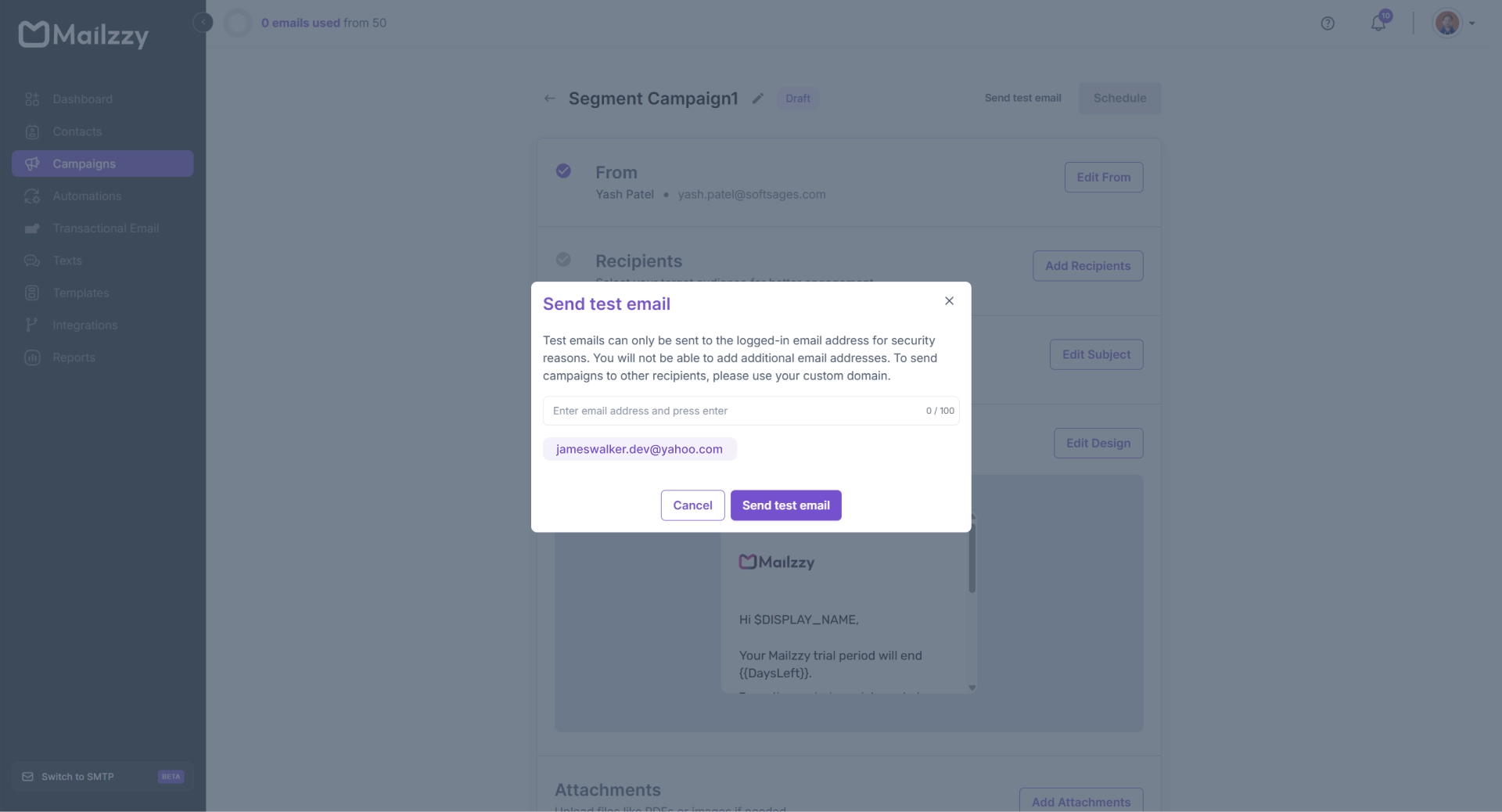
Note: : This modal is for reference purposes only. The actual modal may appear differently and is shown when a custom sending domain has not been configured.]
Your Pre-Send Review Checklist
- Subject line — Does it display correctly and in full?
- Preview text — Is the preheader text appearing as intended?
- Sender name and email — Is the correct sender identity showing?
- Layout and design — Does the visual design look correct across all sections?
- Images — Do all images load? Is meaningful alt text in place?
- Links and buttons — Click every link and button — do they go to the right page?
- Merge tags — Do personalization tags like $FIRST_NAME resolve correctly?
- Unsubscribe link — Is it visible and functional?
- Mobile display — Open the test on your phone and check the layout on a small screen.
If the Test Lands in Spam
A test email that arrives in your spam folder is a signal to investigate before sending to your full list. Check your spam detection score in Mailzzy and review your domain authentication status. Both issues are fixable before the real send goes out.


Let's keep in touch
Sign up for our weekly email marketing newsletter and Mailzzy updates.
For more details, review our Privacy Policy


© 2026 Mailzzy. All rights reserved.

