
How to Run A/B Tests on Your Campaigns
Last updated on May 15, 2026
A/B testing replaces guesswork with data. Rather than assuming which subject line, email design, or send time will perform best, you send different versions to a portion of your list, measure the results, and let the evidence decide. Mailzzy's built-in A/B testing makes this straightforward and actionable.
What You Can Test
- Subject lines — the most common and typically highest-impact variable to test
- Sender name — does your audience engage more with a person's name or a business name?
- Email content — different copy, layouts, images, or calls to action
- Send time — testing different delivery times to identify when your audience is most responsive
Setting Up an A/B Test in Mailzzy
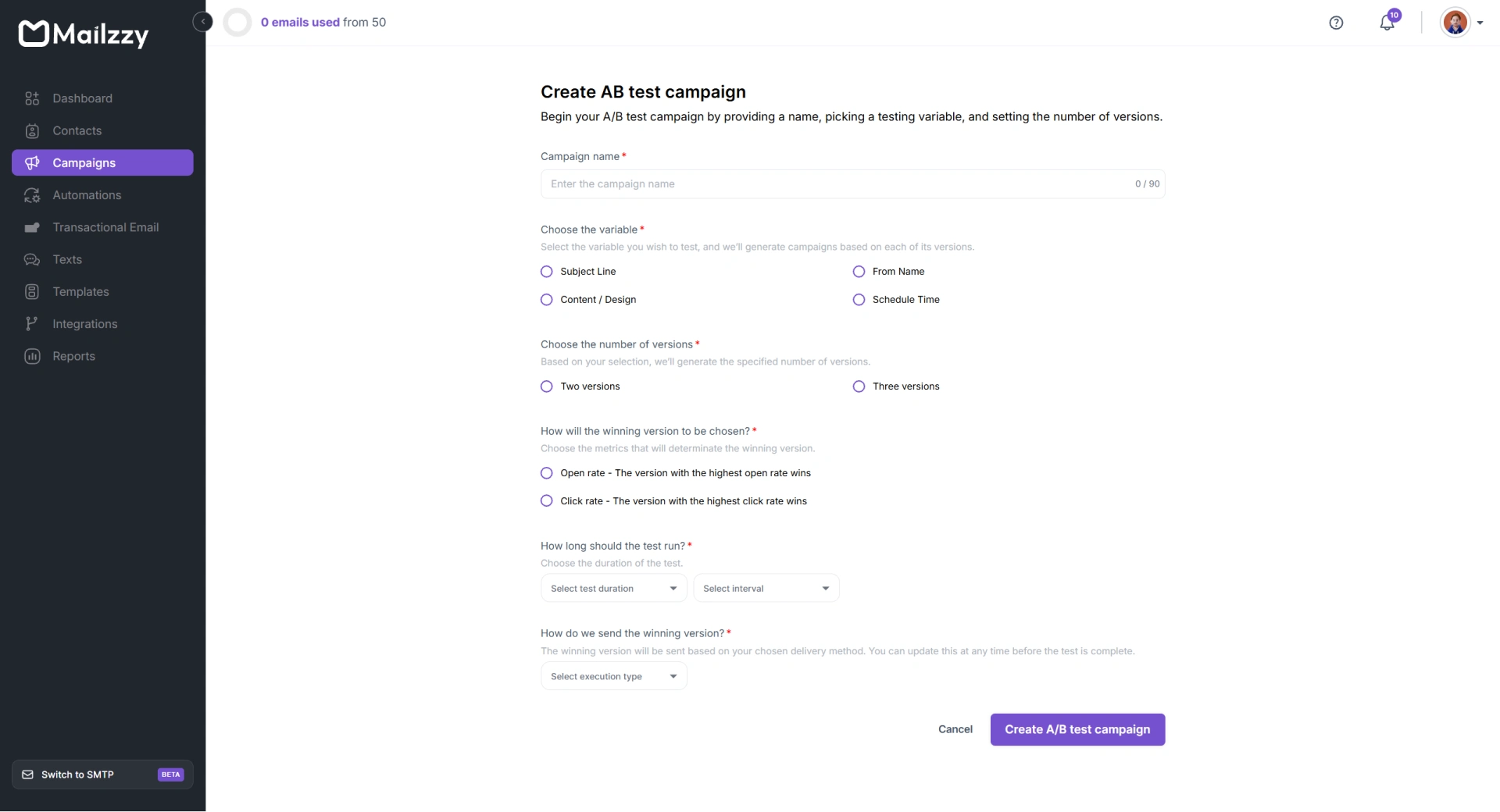
- Create a new campaign and select A/B Test as the campaign type.
- Create your variations — Mailzzy supports two or three versions simultaneously.
- Choose your winning criteria: Open Rate or Click-through Rate.
- Set the test duration — how long Mailzzy waits before evaluating results and sending the winner to the remaining contacts.
- Click on Create A/B Test Campaign
- Configure the percentage split on the next page to decide how your audience is divided between each variation and the final winning send. For example: 30% to Version A, 30% to Version B, and 40% reserved for the winning version.
- Depending on the number of variants selected, you can choose the testing variable for each version and complete the remaining required campaign details.
- Review and launch the test by clicking “Start A/B test
How the Winner Is Determined
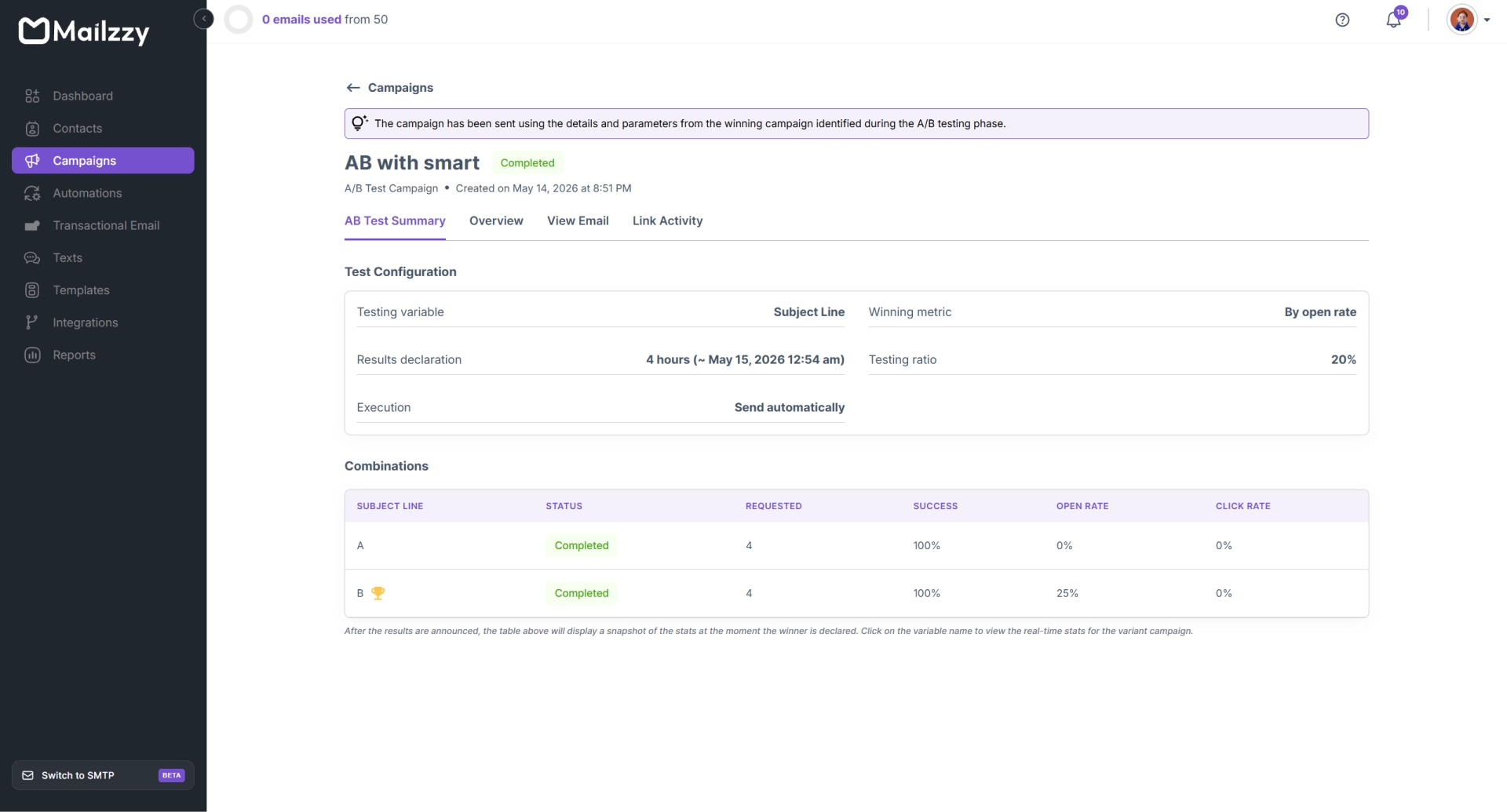
When the test period ends, Mailzzy compares each variation's performance against your selected metric. Based on the sending option you configured, the highest-performing version is automatically declared the winner and sent to the remaining portion of your contact list — no manual action required.
Reading Your Results
The campaign report shows the performance of each variation side by side. Review both to understand not just which version won, but by how much and in which metrics. This context helps you draw genuine conclusions for future campaigns.
A/B Testing Best Practices
- Test one variable at a time — Mailzzy currently supports single-variable testing, making it easier to identify which specific change impacted performance.
- Allow at least 4 hours of test time to collect statistically meaningful data
Test consistently across multiple campaigns — the learnings compound over time and give you an increasingly clear picture of what your audience responds to
Note: Use the AI Subject Line Helper to generate two or three subject line options, then run them as an A/B test to let your actual audience decide the winner.


Let's keep in touch
Sign up for our weekly email marketing newsletter and Mailzzy updates.
For more details, review our Privacy Policy


© 2026 Mailzzy. All rights reserved.

