
How to Verify Your Sender Email Address
Last updated on May 15, 2026
Before you can send a campaign from a specific email address in Mailzzy, that address must be verified. Verification confirms that you have legitimate access to the email account and authorizes Mailzzy to send on its behalf. This is a one-time step for each sender address you add.
What Is a Sender?
A sender in Mailzzy is the combination of a From Name and a From Email address that appears in your recipients’ inboxes when they receive your campaigns. For example:
- From Name: Mailzzy Team
- From Email: hello@yourbusiness.com
You can create and manage multiple senders — for example, one for newsletters, one for promotional campaigns, and one for automated sequences — each with its own name and verified email address.
Step 1: Add a New Sender
- Log in to Mailzzy.
- Click on your profile name in the top right corner.
- Navigate to Senders, Domains & Dedicated IPs and select Senders.
- Click Add Sender or New Sender.
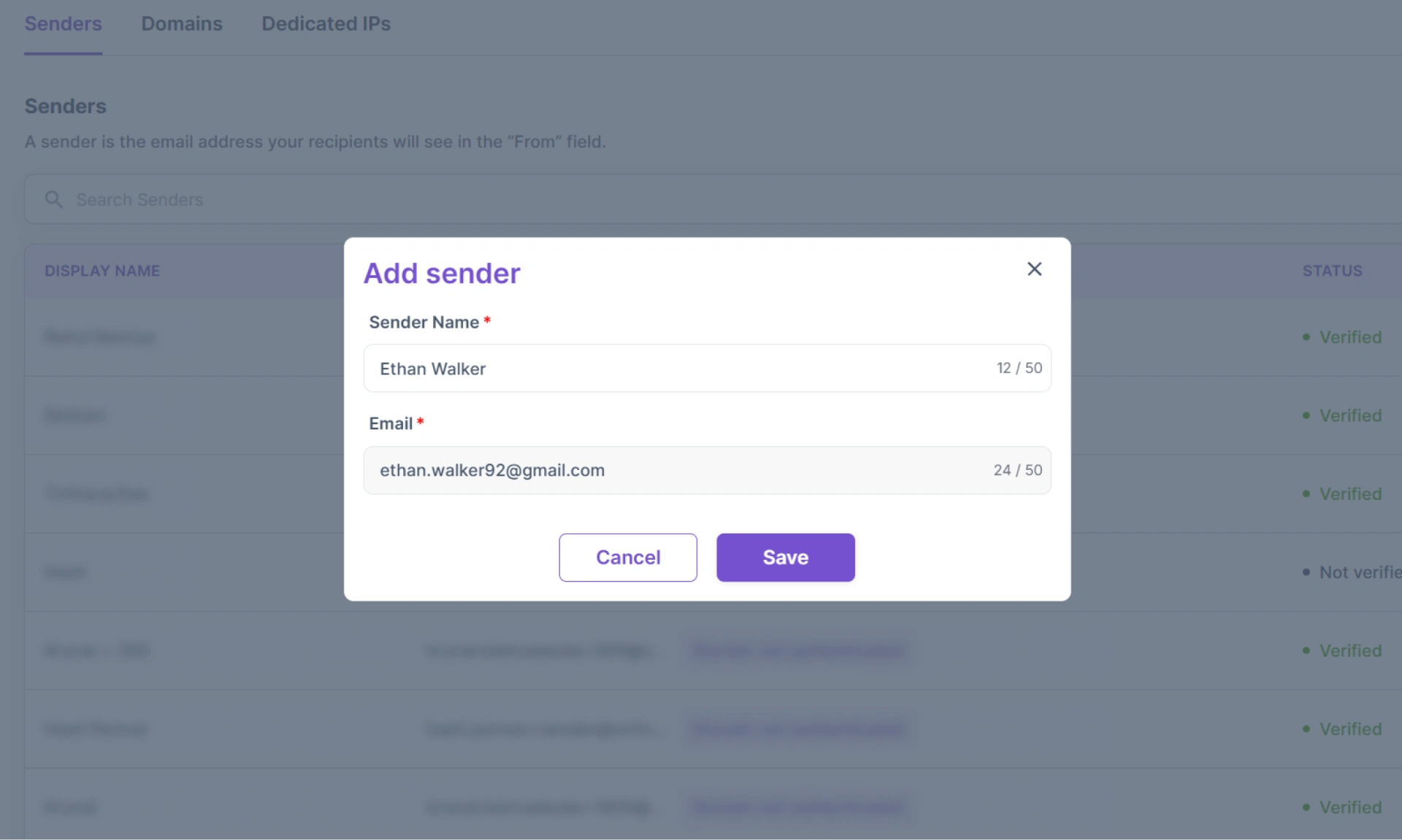
- Enter your desired Sender Name and From Email address.
- Click Save.
Step 2: Verify the Email Address
- After saving the new sender, Mailzzy will automatically send an OTP email to the From Email address you entered.
- Open your email inbox for that address and look for the OTP email from Mailzzy.
- Enter the OTP you have received on the entered From email address.
- Upon verifying, the sender will now show a Verified status and will be available to use in campaigns.
Note: The OTP email may take a few minutes to arrive. If it does not appear, check your spam or junk folder. You can also resend the OTP email from the Senders page by clicking Resend Verification next to the unverified sender.
What If I'm Using a Free Email Address?
You can technically verify a free email address such as @gmail.com or @yahoo.com as a sender, and Mailzzy will allow the verification. However, when you send campaigns using a free email domain, Mailzzy must replace it with a Mailzzy-managed sending domain to maintain deliverability.
This means your recipients may see a different From address than the one you set. For the best results — and to display your own brand identity in every inbox — use a custom domain email address and complete domain authentication. See The Limitations of Using a Free Email Domain as Sender and the Domain Authentication Guide for Mailzzy for more information.
Managing Your Verified Senders
All your verified senders appear in the Senders section under Senders, Domains & Dedicated IPs. From here you can:
- View verification status for each sender
- Edit the From Name associated with a verified sender
- Delete senders you no longer use


Let's keep in touch
Sign up for our weekly email marketing newsletter and Mailzzy updates.
For more details, review our Privacy Policy


© 2026 Mailzzy. All rights reserved.

