
How to Delete Contacts
Last updated on May 15, 2026
Removing outdated, invalid, or unwanted contacts from your Mailzzy account keeps your list healthy, protects your deliverability, and ensures you are only storing data you genuinely need. This guide covers how to delete individual contacts, delete contacts in bulk, and understand the difference between deleting and unsubscribing.
Delete vs Unsubscribe: What Is the Difference?
Before deleting a contact, it is important to understand the distinction between deleting and unsubscribing:
- Unsubscribing – A contact is marked as unsubscribed and will not receive future campaigns. Their record remains in your account. If they ever appear again in an import, Mailzzy will recognize the address and maintain their unsubscribed status.
- Deleting – Contacts are first soft deleted and moved to the Archived Contacts section. These contacts can still be viewed and permanently deleted by admins if needed. If the same email address is imported again before permanent deletion, Mailzzy can still recognize the existing contact history.
Note: Be cautious when deleting contacts who have previously unsubscribed. Deleting their record removes the record of their opt-out. If you later import their address again, they could be added back as an active subscriber — which could violate their request and potentially breach applicable anti-spam or data protection laws.
How to Delete a Single Contact
- Go to Contacts in the left-hand sidebar.
- Search for the contact by name or email address using the search bar.
- Click on the three dots next to their profile.
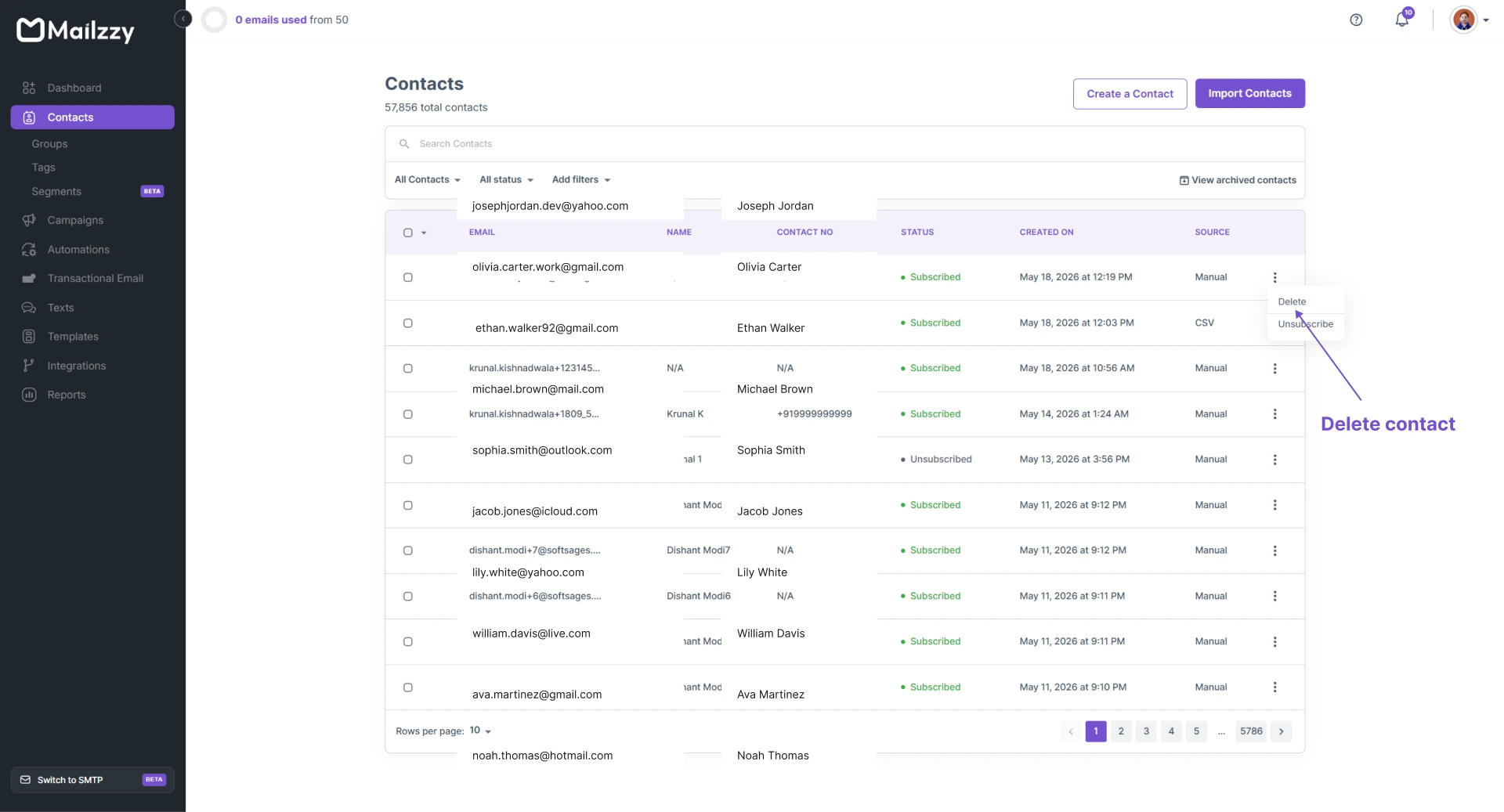
- Click Delete.
- Confirm the deletion when prompted.
The contact record is removed immediately. This action cannot be undone.
How to Delete Multiple Contacts in Bulk
- Go to the Contacts page.
- Use the filter or search options to locate the contacts you want to delete. You can filter by list, status, tag, or other criteria.
- Select the contacts you want to remove by ticking the checkbox next to each one. To select all visible contacts, use the Select All option at the top of the list.
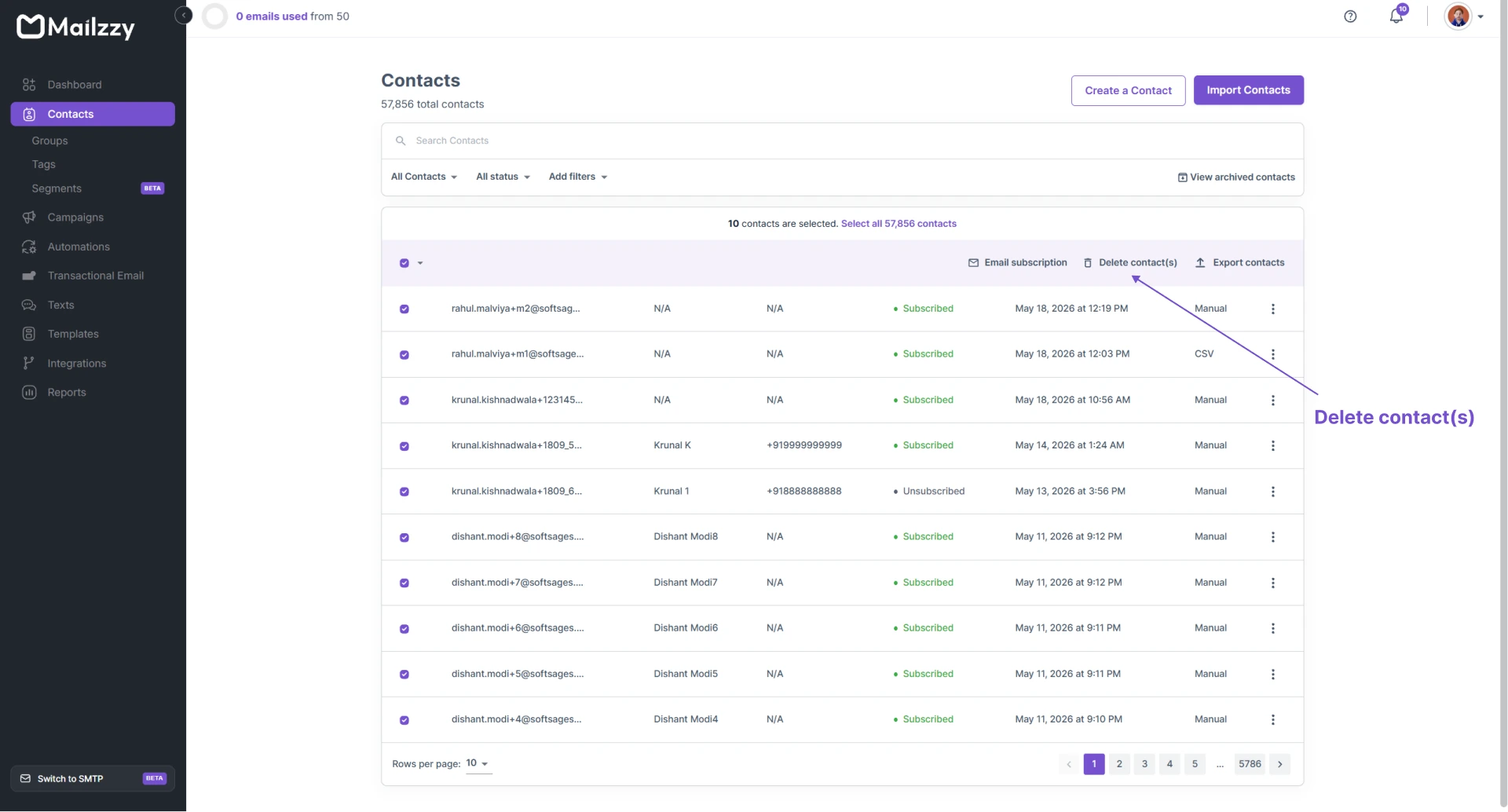
- With your contacts selected, look for the Delete Selected option.
- Choose Delete and confirm the action.
Note: For very large deletions, Mailzzy may process the request in the background. The contacts will be removed from your visible list once processing is complete.
When to Delete vs When to Clean
Not every scenario calls for permanent deletion. Here is a guide to help you decide the right action:
- Hard bounces – Delete. These addresses are permanently invalid and will never deliver. Keeping them in your list harms your bounce rate and sender reputation.
- Manually unsubscribed contacts – Keep as unsubscribed rather than deleting. Retaining their opt-out record protects you if questions arise later.
- Inactive contacts who haven't engaged in 6+ months – Consider a re-engagement campaign first. If they still do not engage, you can delete or suppress them.
Note: Before running a large deletion, export your contact list as a backup. This gives you a recoverable copy if you later realize you deleted contacts you still needed.


Let's keep in touch
Sign up for our weekly email marketing newsletter and Mailzzy updates.
For more details, review our Privacy Policy


© 2026 Mailzzy. All rights reserved.

