
How to Use Spam Detection in Mailzzy
Last updated on May 15, 2026
Before your campaign reaches a single inbox, Mailzzy's spam detection tool analyses your email content and gives you a spam score — an assessment of how likely your email is to be caught by inbox filters. Running this check before every send helps you catch and fix problems while there is still time to act.
How Spam Detection Works
The tool uses machine learning algorithms to scan your email content for characteristics that inbox providers and spam filters commonly associate with unwanted or low-quality email. It calculates a score and produces a list of the specific factors contributing to that score.
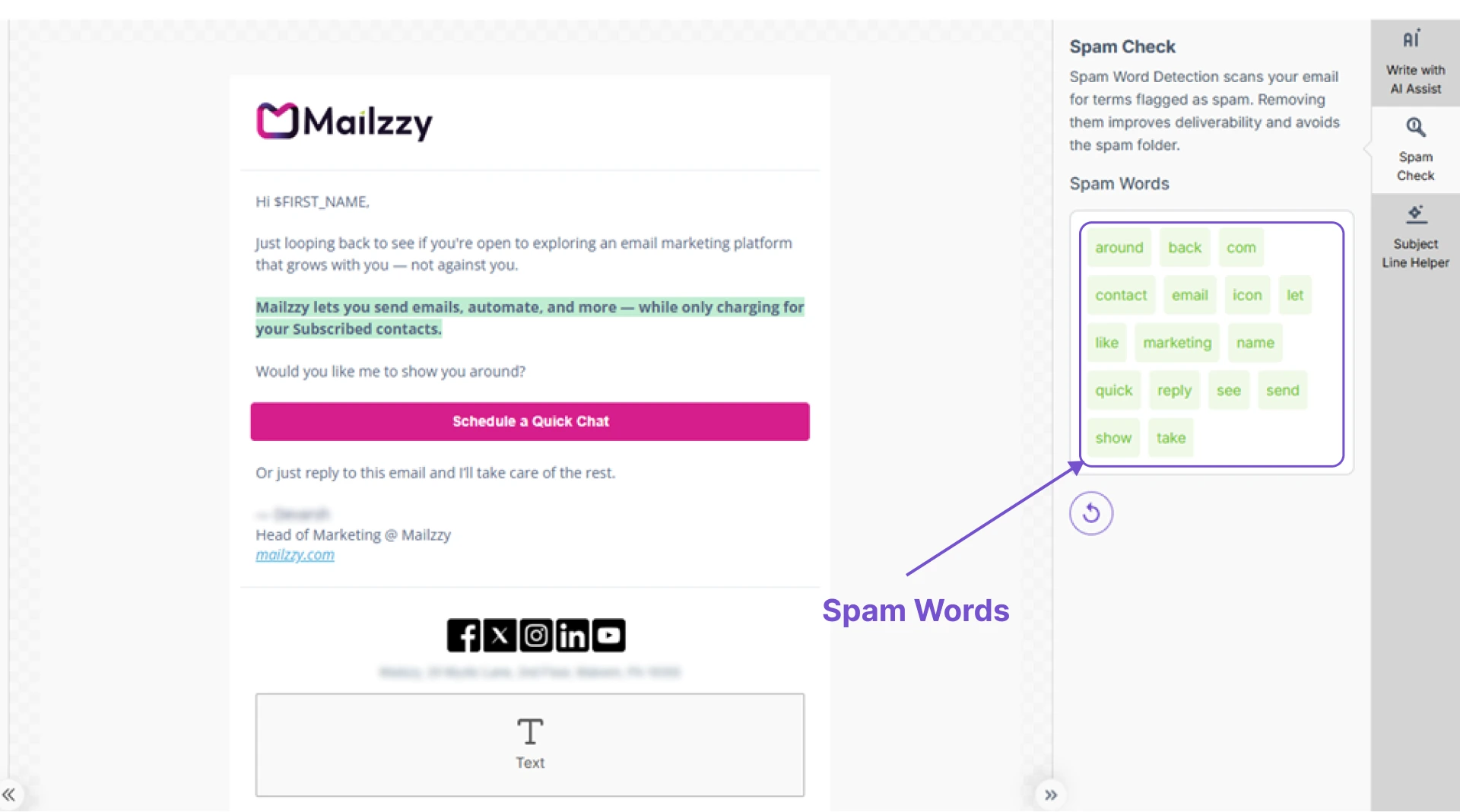
What the Tool Examines
- Spam-trigger words and phrases in the subject line and email body
- Excessive use of capitals, exclamation marks, or repetitive punctuation
How to Run a Spam Check
- Complete your campaign design in the email editor.
- Click the Spam Detection option.
- Wait for the analysis to finish, then review the detected spam-trigger words in your email.
- After updating your content, run the spam check again to ensure no additional spam-related words are detected.
Fixing Common Issues
- Spam trigger words — Review the flagged terms in your content and replace them with straightforward language. Words like "FREE!!!", "GUARANTEED", or "ACT NOW" are commonly flagged.
- Excessive caps and exclamation marks — Use them sparingly. Full sentences in capitals signal spam to filters.
Note: Make spam detection part of your standard pre-send routine for every campaign — not just when you suspect a problem. Consistent checking catches issues early and keeps your deliverability healthy over time.


Let's keep in touch
Sign up for our weekly email marketing newsletter and Mailzzy updates.
For more details, review our Privacy Policy


© 2026 Mailzzy. All rights reserved.

