
How to Duplicate a Campaign
Last updated on May 15, 2026
Duplicating a campaign creates an exact copy of an existing one — including its design, subject line, sender details, and recipient settings. It is the quickest way to build a new campaign when you want to use a previous send as your starting point.
How to Duplicate a Campaign in Mailzzy
- Go to the Campaigns page.
- Find the campaign you want to copy.
- Click the options icon (three dots) next to the campaign name.
- Select Duplicate from the dropdown.
- Select the campaign elements you want to copy from the existing campaign, then click Duplicate Campaign to create the duplicate.
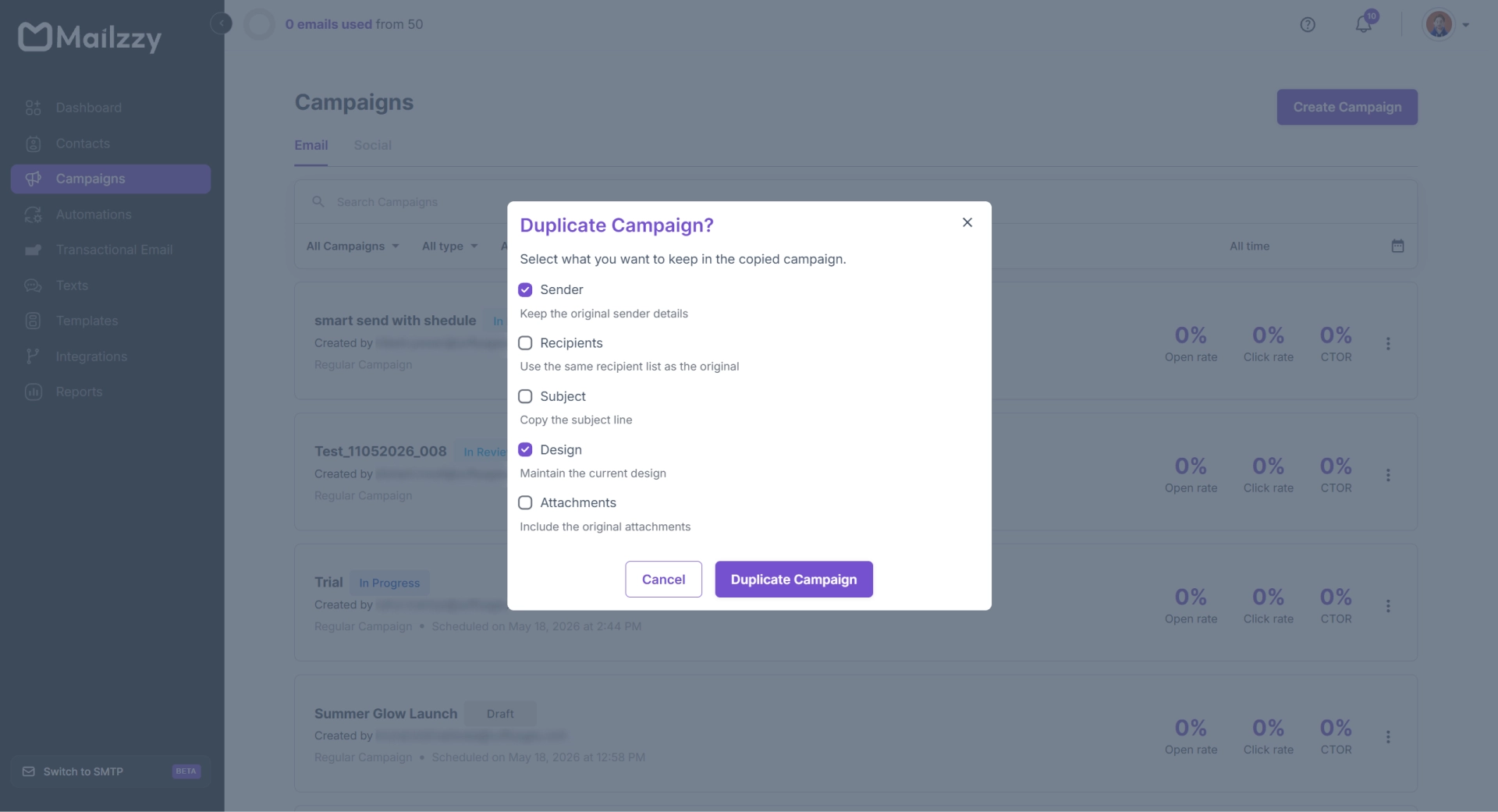
- Mailzzy creates a copy instantly. Open it, rename it, and make any changes needed.
What the Duplicate Includes
- Campaign name (marked as a copy)
- From name and email address
- Recipient list or group selection
- Subject line and preview text
- Full email design and content
- Attachments
Note: The duplicate does not carry over any sending schedule, campaign status, or performance data from the original. It starts as a fresh, unsent draft.
Practical Uses for Duplicating
- Recurring campaigns — Use last month's newsletter as the starting point for this month's edition.
- Audience variations — Send the same email design to a different segment by duplicating and changing the recipient group.
- Quick A/B testing — Duplicate a campaign, change the subject line in the copy, and compare results across the two sends.
- Translated versions — Duplicate and translate the content for audiences in different languages.


Let's keep in touch
Sign up for our weekly email marketing newsletter and Mailzzy updates.
For more details, review our Privacy Policy


© 2026 Mailzzy. All rights reserved.

