
How to Add Personalization / Merge Tags to Emails
Last updated on May 15, 2026
Personalized emails outperform generic ones because they feel relevant to each individual reader. Mailzzy makes it simple to insert contact-specific details directly into your email using merge tags — placeholders that are automatically replaced with real data from each contact's record when your campaign is sent.
What Is a Merge Tag?
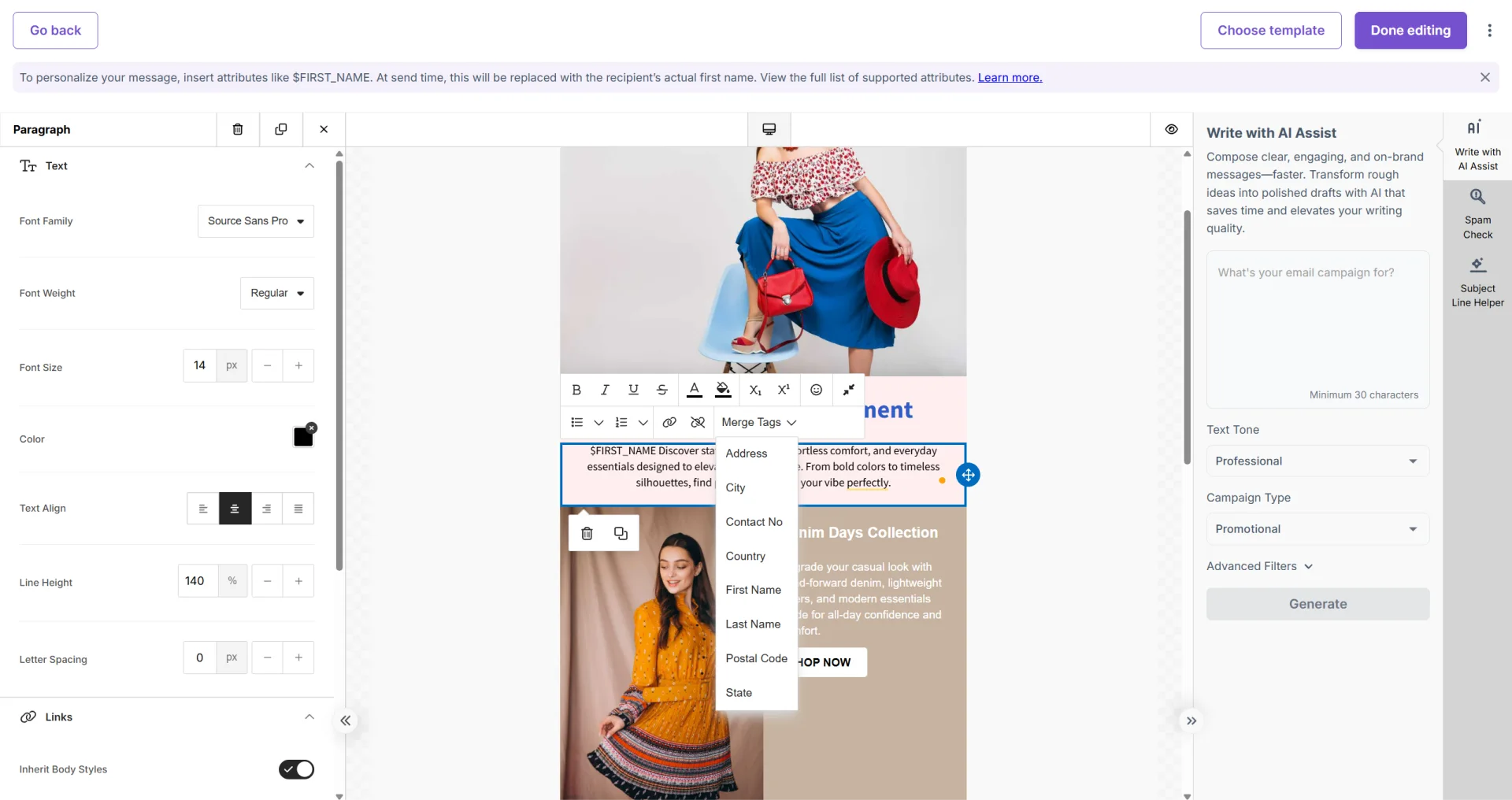
A merge tag is a short code you place in your email where you want a contact's data to appear. At send time, Mailzzy reads each recipient's contact record and replaces the tag with the corresponding value. If a contact's record has no data for a particular field, the tag is left blank — no error or placeholder text will show.
Merge Tags Available in Mailzzy
- $FIRST_NAME — First name
- $LAST_NAME — Last name
- $CONTACT_NO — Phone number
- $ADDRESS — Street address
- $COUNTRY — Country
- $CITY — City
- $STATE — State or region
- $POSTAL_CODE — Postal code
- $TIME_ZONE — Time zone
How to Insert Merge Tags in the Editor
- Click inside any text block in the email editor.
- Position your cursor where you want the personalized data to appear.
- Type the merge tag exactly as shown — for example: $FIRST_NAME.
- The tag displays as plain text in the editor. It will be replaced with real data at send time.
Where Merge Tags Make the Most Impact
- Subject line — "Hi $FIRST_NAME, we have something just for you" has been shown to lift open rates by creating an immediate personal connection.
- Opening greeting — A personalized salutation makes the email feel individually written rather than mass-produced.
- Location references — Mentioning a contact's $CITY or $COUNTRY adds local relevance to your message.
Note: Send a test email to an address where you know some fields will be missing data — this confirms empty tags display cleanly rather than showing broken code.


Let's keep in touch
Sign up for our weekly email marketing newsletter and Mailzzy updates.
For more details, review our Privacy Policy


© 2026 Mailzzy. All rights reserved.

