
Create Engaging Content in Seconds
Give AI Assist a prompt, and get a full campaign draft, subject line and body copy included, ready for you to review and refine.
Let AI Handle the First Draft, You Handle the Strategy
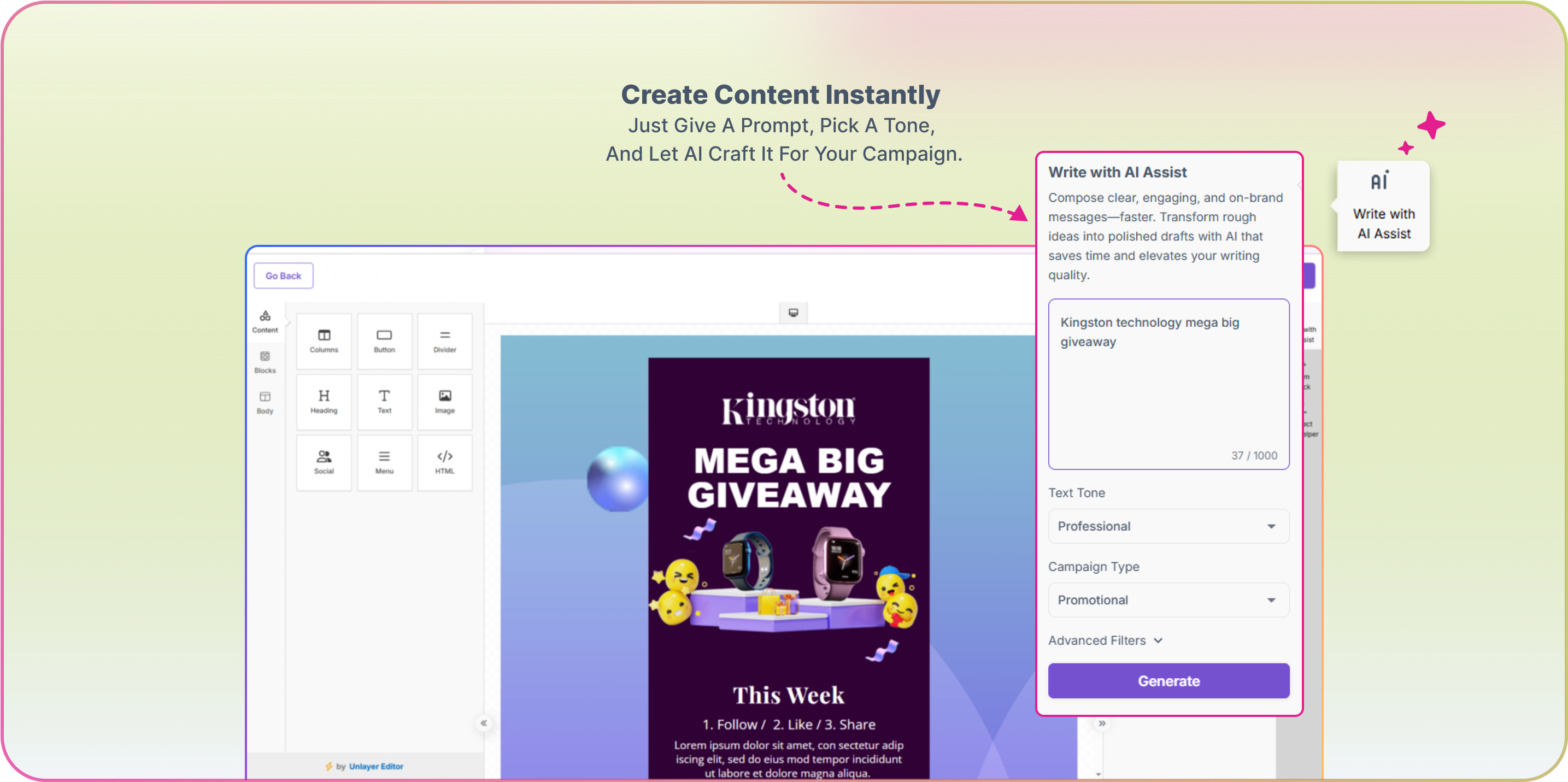
Say goodbye to blank pages and hello to ready-to-review content. With Write with AI Assist, you can generate full campaign drafts by entering a prompt and setting your tone, campaign type, and advanced filters, right inside the email builder. Review the draft, ask AI Assist to refine it, and insert it into your email when it's ready. Unlike Mizo, which builds a full campaign through conversation, AI Assist is built for the moments you're already inside the editor and just need the words.
How It Works
Open AI Assist in the Editor
While building your campaign, open Write with AI Assist from the side panel, no need to leave the email builder.
Describe Your Campaign
Enter a prompt describing what you want to send, up to 1,000 characters, whether it's a newsletter, product update, or promotional email.
Set Tone, Type, and Filters
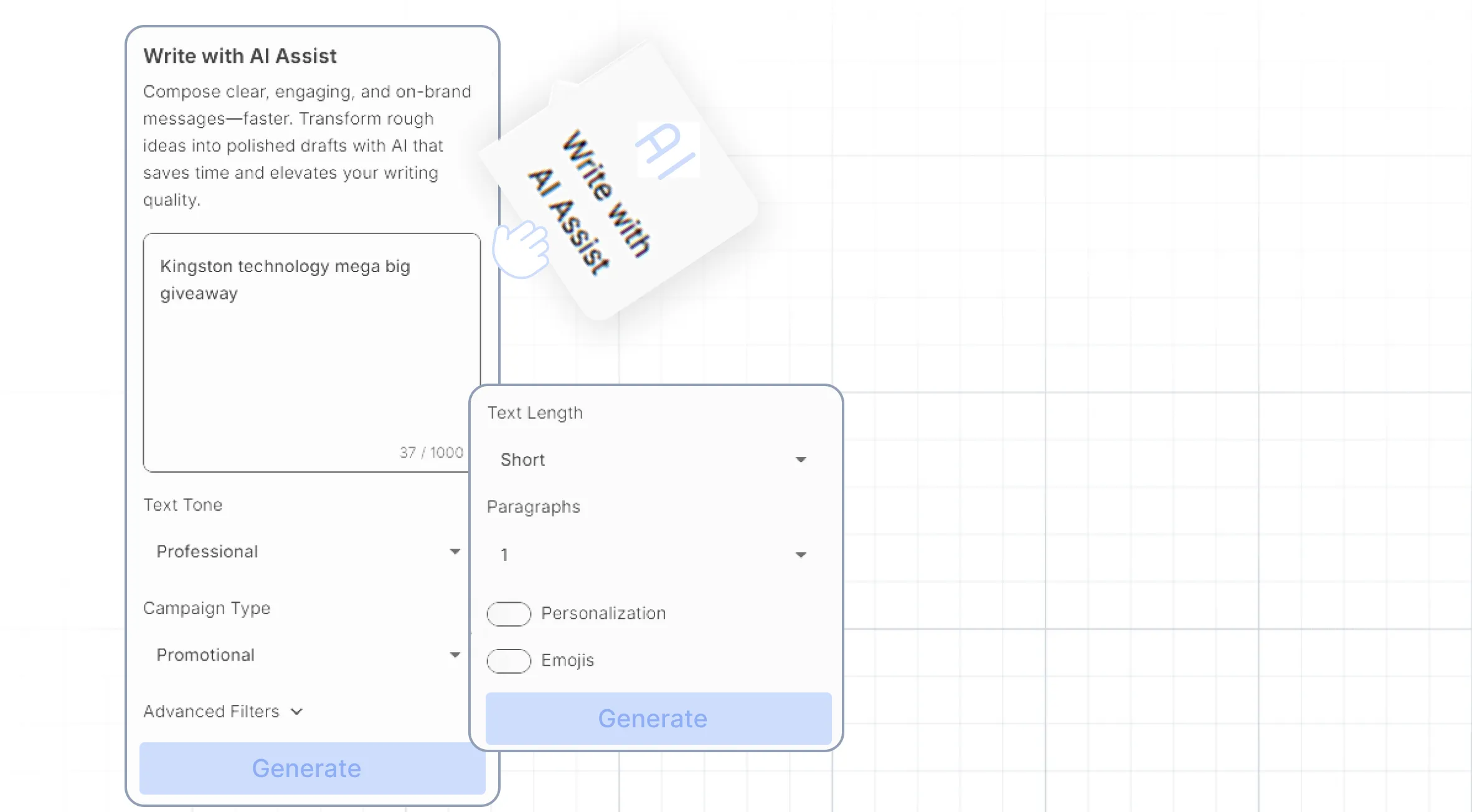
Choose your Text Tone (Friendly, Professional, Casual, Bold), Campaign Type (Newsletter, Promo, Launch, Event, Milestone, Onboarding), and adjust Advanced Filters like length and personalization.
Generate and Refine
AI Assist drafts your content instantly. Not quite right? Select Generate More for a new version or Modify Filters to adjust your settings, then insert the draft straight into your email.
Applications & Examples
Company Update or Milestone
Draft a friendly, personal update announcing new features or team news, ready to insert straight into your newsletter layout.
Promotional Campaign
Generate a short, energetic email (casual tone, with emojis) to drive checkout rates.
Formal Newsletter
Create a long-form, professional piece with personalization and no emojis.
Write Smarter with AI – Your Questions Answered
Explore how AI writing tool helps you create content faster, with answers to the most common questions.
How does it work inside the email builder?
Open AI Assist from the side panel while editing a campaign, enter your prompt, choose your tone and campaign type, and generate. The draft appears in the AI Assist panel, ready to insert into your email.
What can I customize?
Text Tone (Friendly, Professional, Casual, Bold), Campaign Type (Newsletter, Promo, Launch, Event, Milestone, Onboarding), and Advanced Filters for length, number of paragraphs, personalization, and emojis.
Can I generate more than one version?
Yes. Select Generate More for a new draft, or Modify Filters to adjust your settings and try again. Your generated drafts are saved so you can compare them and pick the one you like best.
Does AI Assist replace the editor?
No. AI Assist drafts content for you to review, edit, and insert. You stay in control of what goes into your campaign.
Can I use emojis in my email?
Yes, if enabled in Advanced Filters. Emojis are added sparingly and only where they enhance emotional connection. Disable them anytime to keep your content clean and professional.


Let's keep in touch
Sign up for our weekly email marketing newsletter and Mailzzy updates.
For more details, review our Privacy Policy


© 2026 Mailzzy. All rights reserved.