
Connect Mailzzy to the AI Assistant You Already Use
MCP lets Claude, ChatGPT, Gemini CLI, Cursor, VS Code, and other compatible AI tools manage your Mailzzy campaigns, contacts, and reports, all through natural language.
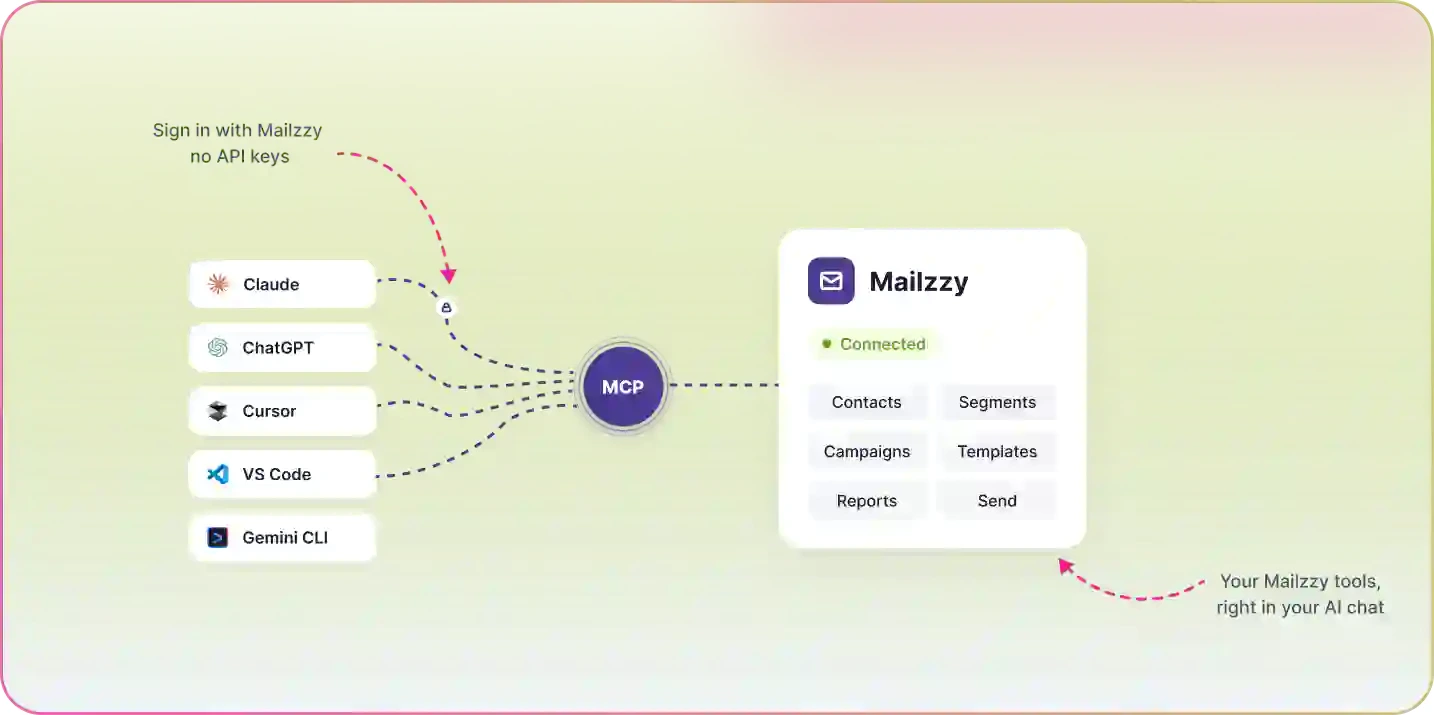
Your AI Assistant, Now Connected to Mailzzy
MCP (Model Context Protocol) is an open standard that lets AI tools connect securely to external tools and services. With Mailzzy's MCP connector, you can bring your email marketing into whichever AI tool you already use for work, whether that's Claude, ChatGPT, Gemini CLI, Cursor, VS Code, or another MCP-compatible tool, and manage campaigns, contacts, and reports without switching tabs. This is separate from Mizo, Mailzzy's own built-in assistant. MCP is about reaching Mailzzy from the AI tools you already have open.
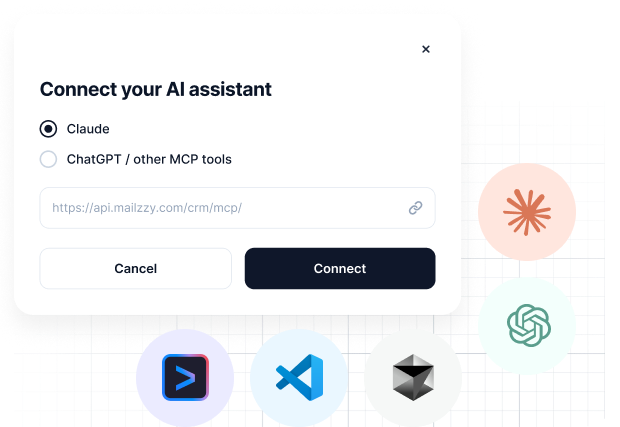
How It Works
Enable the Mailzzy MCP Connector
Turn on the Mailzzy connector from your AI assistant's settings or connector directory.
Authenticate Your Account
Sign in and approve access, so your AI assistant can securely reach your Mailzzy data.
Ask in Natural Language
Request what you need directly in your conversation, from campaign drafts to performance reports.
Review Before Anything Happens
Your AI assistant will confirm any action that sends, changes, or deletes data before it happens.
Applications & Examples
Campaign Creation
Ask your AI assistant to draft a product launch campaign for your newsletter list, and it builds the draft directly in Mailzzy.
Performance Reporting
Request a summary of last month's campaign performance and get real numbers pulled straight from your account.
Audience Management
Have your AI assistant create or update a segment based on criteria you describe.
Cross-Tool Workflows
Combine Mailzzy with your other MCP-connected tools, so your AI assistant can pull data from one platform and act on it in another.
Frequently Asked Questions About Mailzzy MCP
Have questions about connecting Mailzzy to your AI assistant? Find answers to common questions here.
Which AI assistants work with Mailzzy's MCP connector?
Mailzzy's MCP connector works with Claude, ChatGPT, Gemini CLI, Cursor, VS Code, and other MCP-compatible AI tools.
Is this the same as Mizo?
No. Mizo is Mailzzy's own built-in AI assistant, accessed inside Mailzzy. MCP is a separate connector that lets external AI tools, like Claude, ChatGPT, Gemini CLI, Cursor, or VS Code, access your Mailzzy account from outside the platform.
What can my AI assistant do through MCP?
It can create and update campaigns, manage contacts and segments, and pull performance reports, depending on the permissions you approve.
Is my data secure?
Yes. MCP connections require your authentication and approval, and you can review or revoke access at any time.
Do I need to write code to set this up?
No. Setting up the Mailzzy MCP connector is done through your AI assistant's settings, no coding required.


Let's keep in touch
Sign up for our weekly email marketing newsletter and Mailzzy updates.
For more details, review our Privacy Policy


© 2026 Mailzzy. All rights reserved.